Monitor Docker containers and other systems
To keep an eye on my services and servers by monitoring how resources are being used and whether something is about to break, I took some time to explore what tools and services exist that are open-source and lightweight. I found that Beszel fits in nicely: it’s quick to deploy and easy to understand.
Beszel
Beszel is a simple server monitoring solution built for developers and sysadmins who want useful information without spending hours configuring dashboards With Beszel, you can monitor:
- CPU usage
- Memory usage
- Disk space and disk I/O
- Network traffic
Beszel Components: Hub and Agent
Beszel is split into two parts:
Hub – the web interface where you see everything
Agent – a small service running on each server you want to monitor
Running Beszel with Docker Compose
This docker compose file allows you to run the Hub and Agent in the same system. But, you can disassociate the Agent and run it on a different system by pointing it to the correct IP and Port where the Hub is running.
1 |
|
For Windows users you can test the client by running the following command. Download the binary on the official github page.
$env:HUB_URL="http://localhost:8090"; .\beszel-agent.exe -k "ssh-ed25519 AAAAC3NzAC1lZDI1NTE5AAAAII9R1vDLAWSBMOgf3SVKOxCGWHIUUlcXp9cI6PpHXblX" -l 45875
Getting started
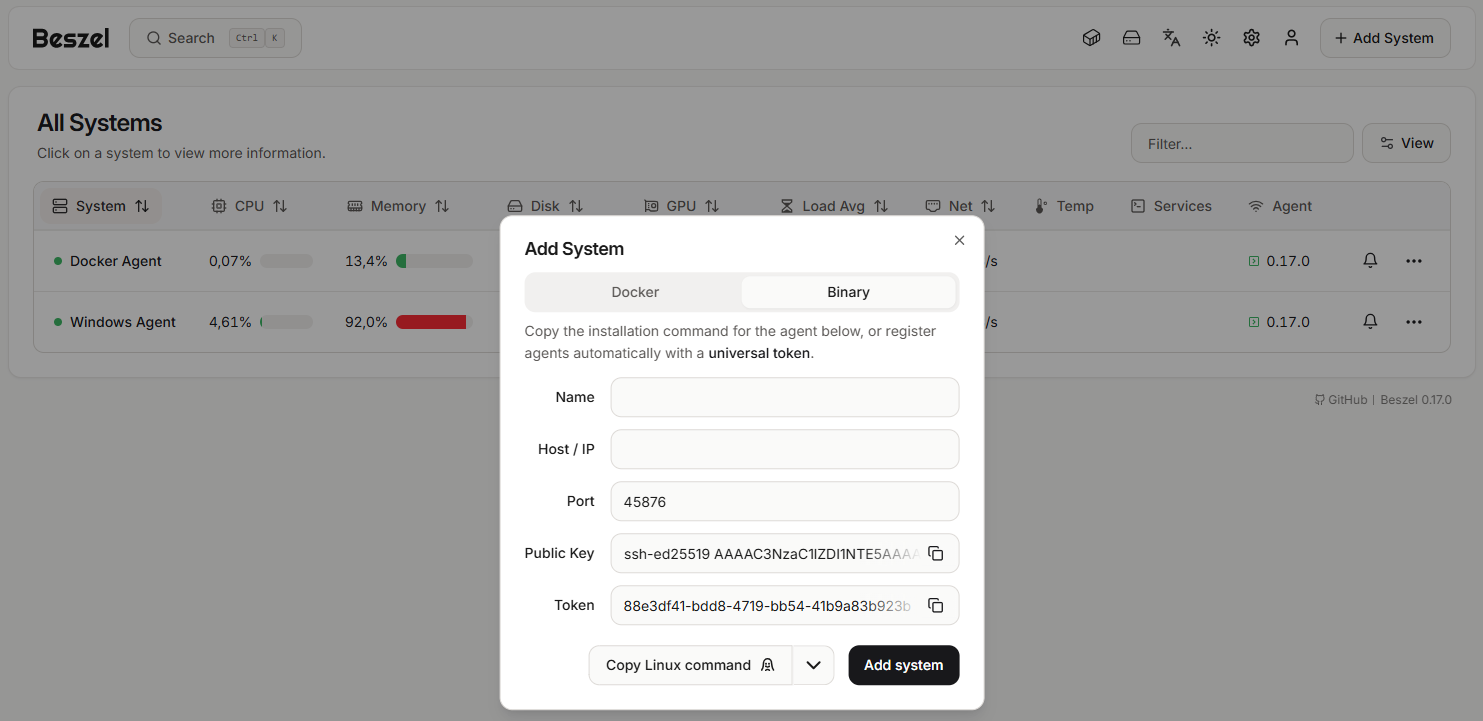
Adding a System
To start monitoring a server, you need to add it in the Beszel Hub. Click “Add system”, give it a name and enter the agent IP address.
If you’re running the client and the Agent on the same machine, use host.docker.internal as the hostname. If they’re on different machines within the same local network, enter the Agent’s local IP address. For security reasons, you should not expose the Agent’s port directly to the public internet. Instead, use a VPN to access it remotely.
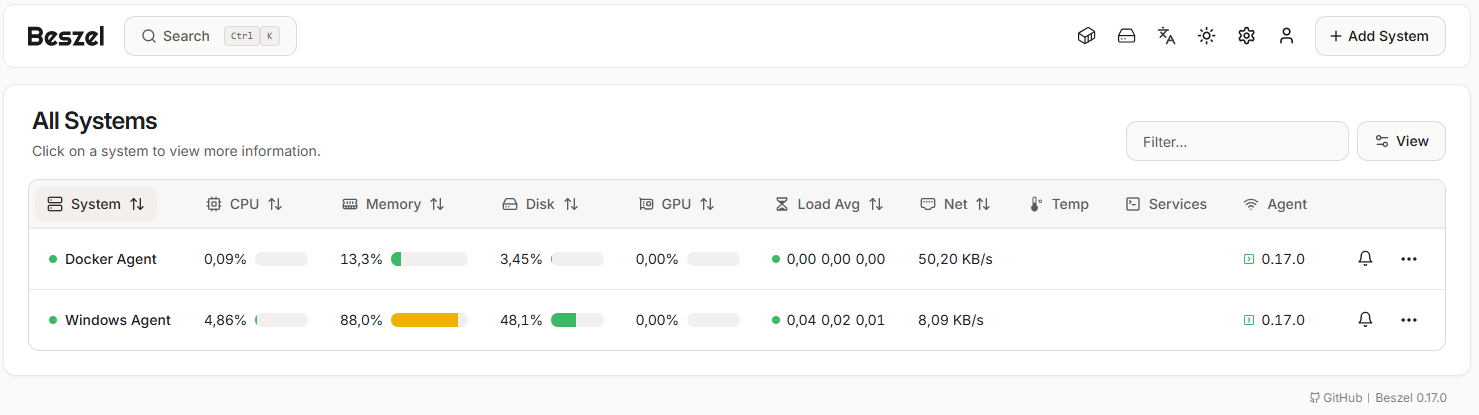
Viewing All Systems at a Glance
After adding your servers, Beszel gives you a clean overview of everything you’re monitoring.
From here, you can quickly see which systems are online, but you are also hable to configure alarms based on thresholds.
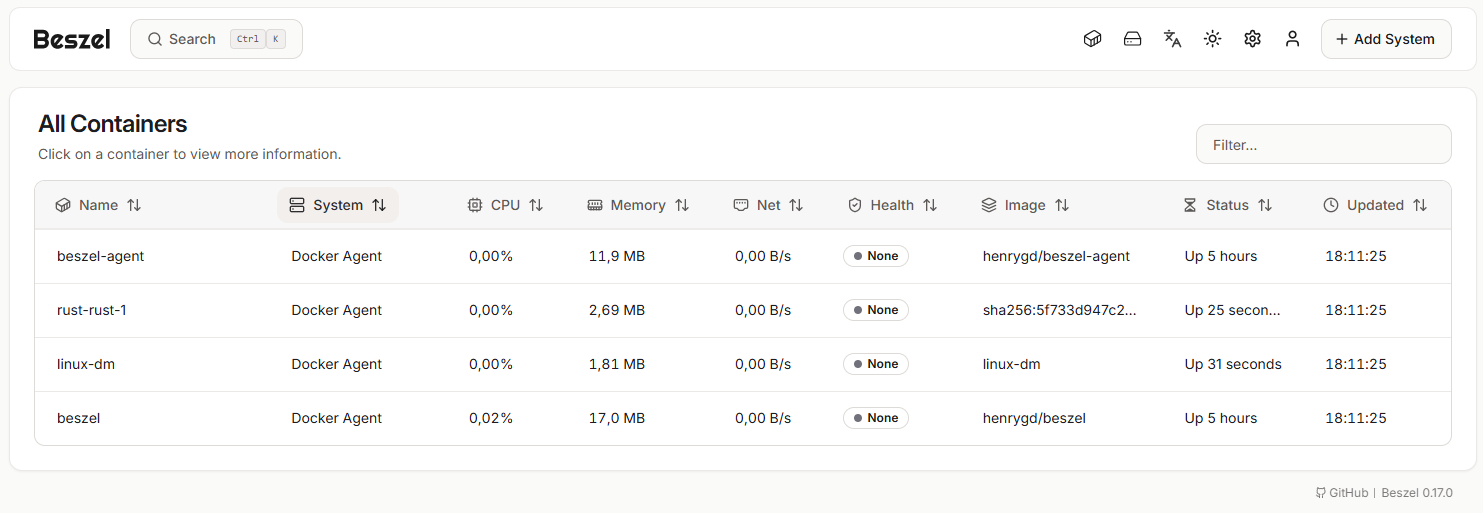
Monitoring Docker Containers with Beszel
If your server runs Docker containers, the Agent picks them up automatically and reports them to Hub.
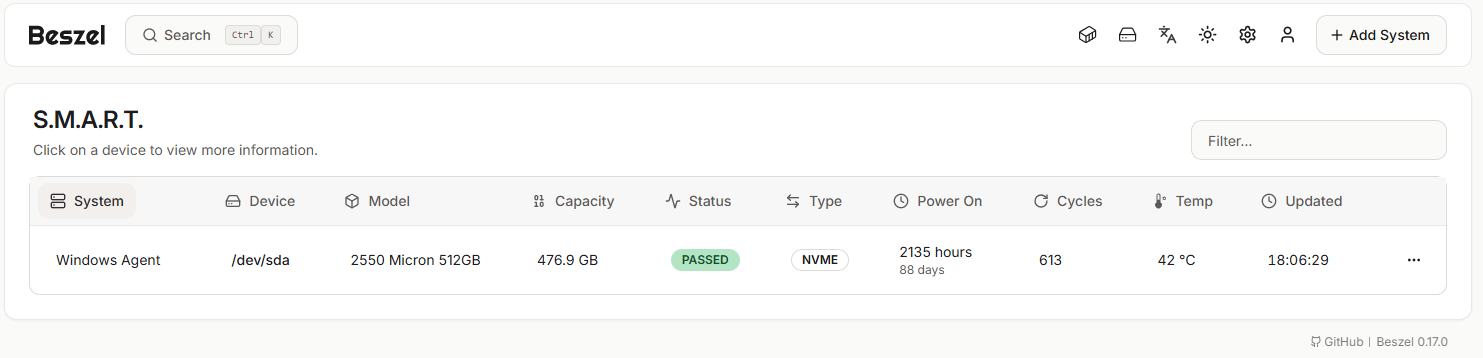
Checking Disk Health Using S.M.A.R.T. Data
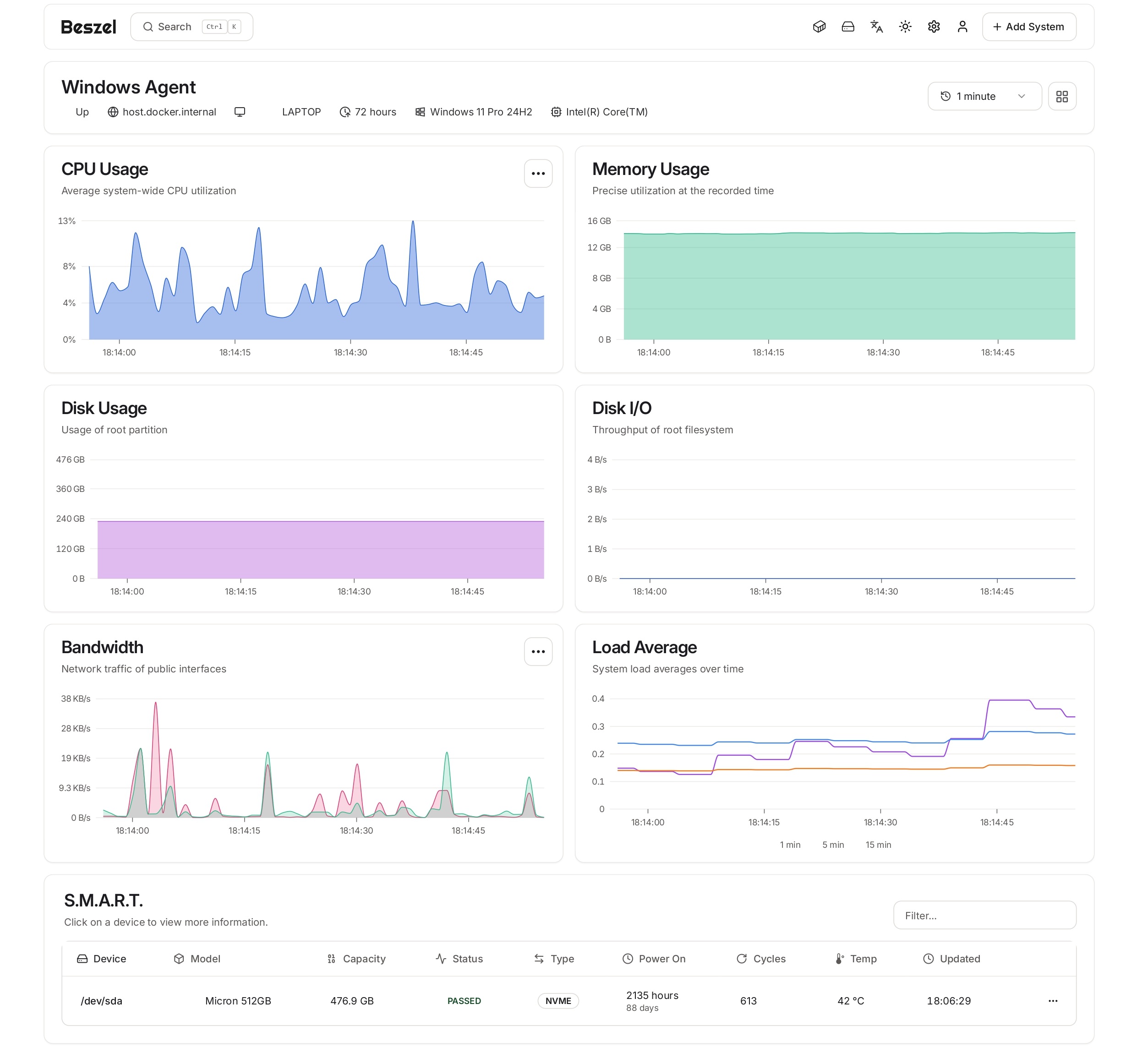
The S.M.A.R.T. tab shows disk health information, which is especially useful for servers storing important data or backups.
User and System Overview
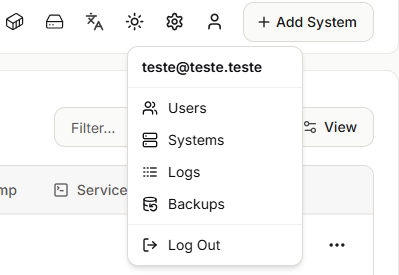
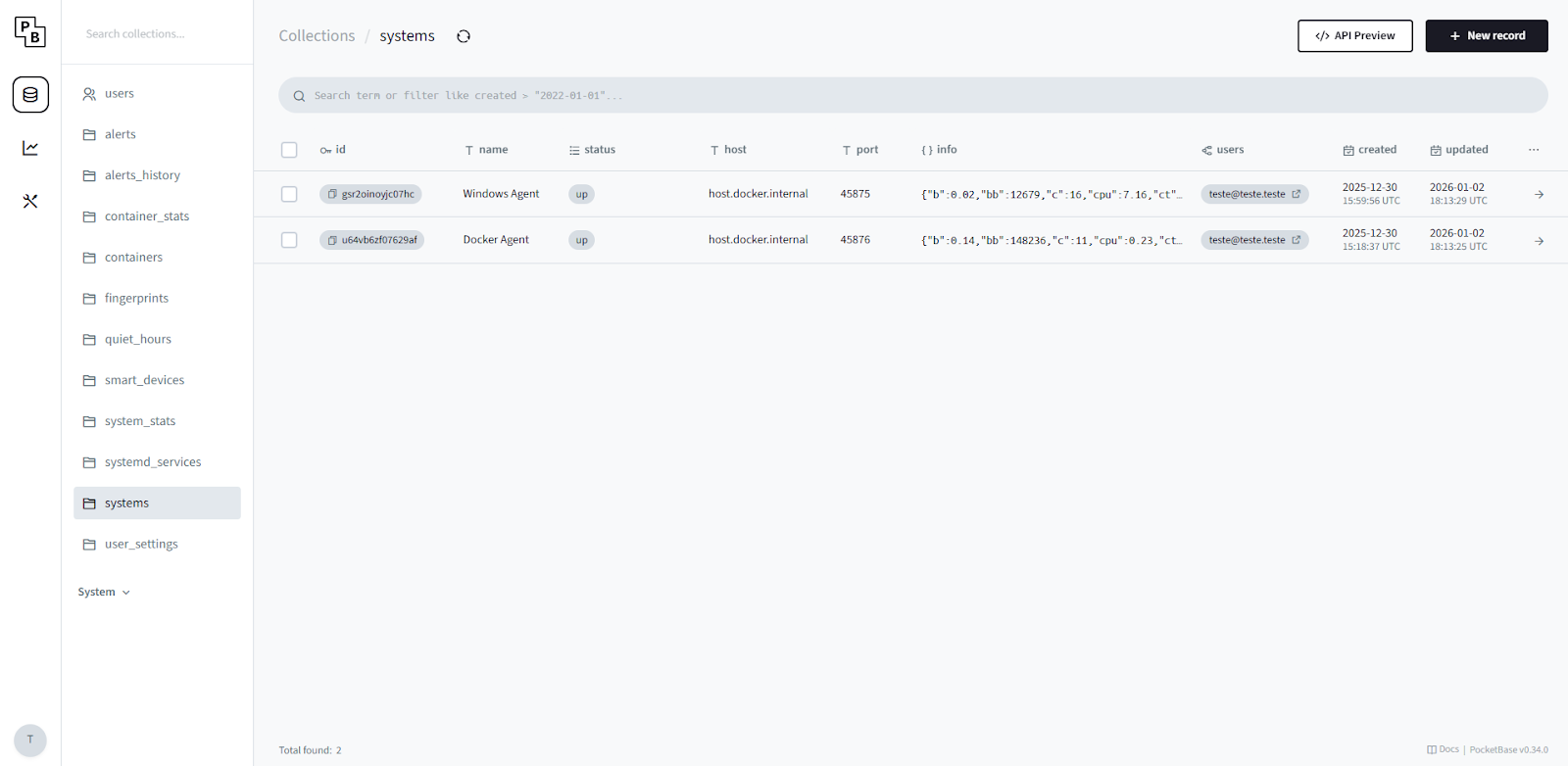
One thing that I discovered was that Beszel uses PocketBase (I already did a blog post about it previously), to access it, you need to click on the user icon and click on one of the options. Since it uses PocketBase you are hable to customize it and develop around it.
Example: Monitoring a Docker Host
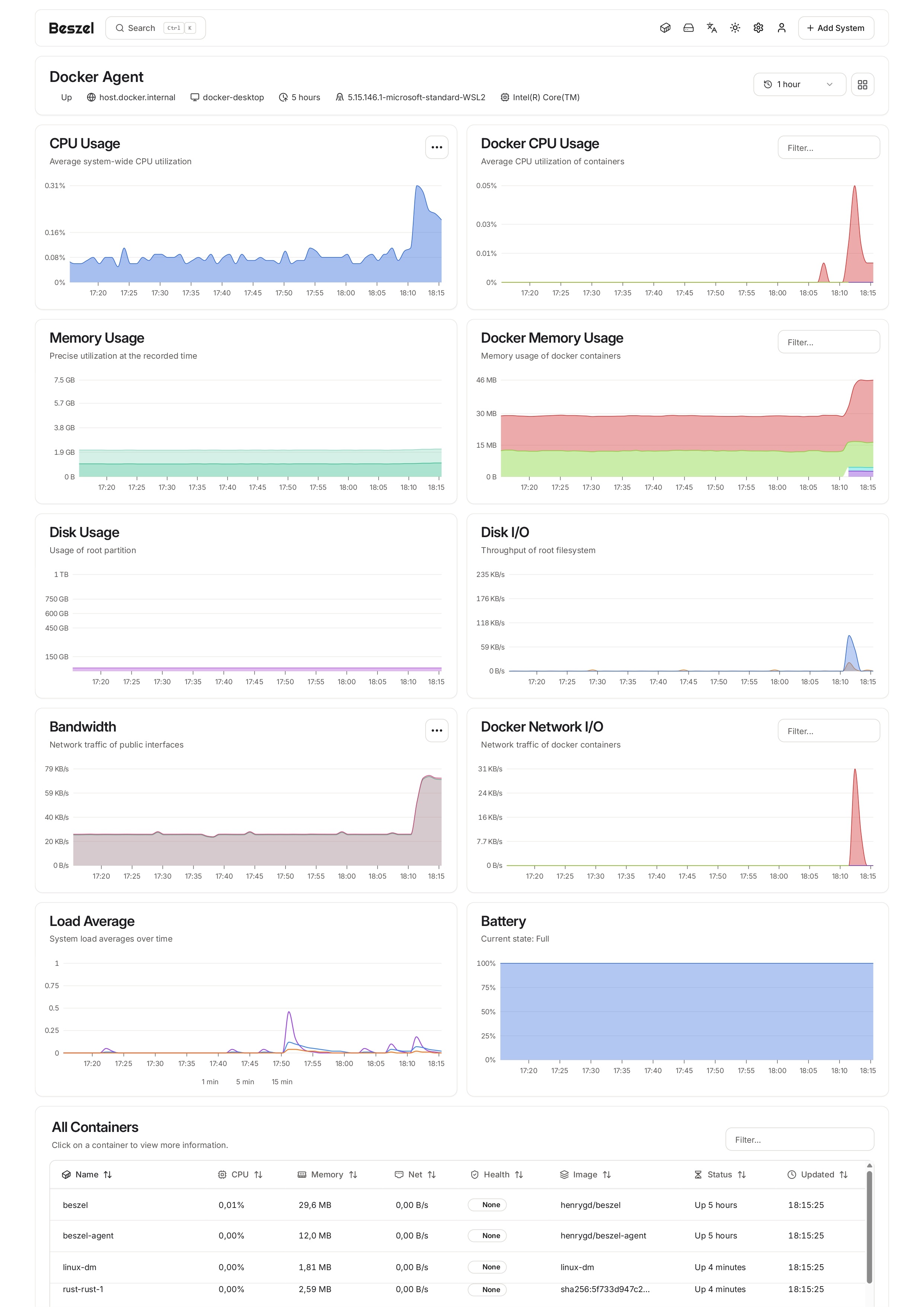
Here’s an example of the metrics by running the agent on a Docker container.
Example: Monitoring a Windows Server
Here’s an example of the metrics by running the agent on Windows systems.