ESP32-C6 Deep Sleep Power Consumption with Rust
In the future, I want to start building battery powered projects, so understanding power consumption becomes critical. In this post, I will explore deep sleep power consumption on the ESP32-C6 board using Rust with Embassy and Esp-hal. Beyond simply putting the board to sleep, I’ll also examine the key factors that affect deep sleep current on this board, such as providing the correct voltage to the battery pin.
ESP32-C6 Deep Sleep
Board: ESP32-C6 Super Mini
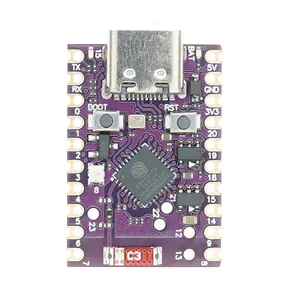
The ESP32-C6 SuperMini is a compact and powerful development board featuring the Espressif ESP32-C6 WiFi 6 and Bluetooth dual-mode chip. With support for IEEE 802.11ax WiFi 6 (2.4 GHz) and Bluetooth 5 (LE) with Bluetooth Mesh. The board comes with a USB Type-C interface for simple programming and connectivity. Plus, it includes a dedicated pin for connecting a battery to the soldered LTH7R IC (compact, standalone linear charger that delivers safe constant-current/constant-voltage)
More info about this board in here
Power saving modes
The ESP32-C6 offers two main low-power modes: light sleep and deep sleep. In this post, I will focus on deep sleep, the mode that maximizes battery life. In deep sleep, almost all clocks are turned off, only the RTC (Real-Time Clock) remains powered, and waking from deep sleep triggers a full chip reset. With proper configuration, the ESP32-C6 can achieve ultra-low current consumption in the microamp range, making it ideal for battery-powered IoT projects.
Rust Setup: Embassy + esp-hal
This example uses:
- embassy – an async executor for embedded Rust, allowing efficient multitasking on microcontrollers.
- probe-rs – a debugging and flashing tool for Rust embedded projects.
- esp-hal – the official Hardware Abstraction Layer for ESP32 chips, providing safe access to peripherals like GPIO, timers, and RTC.
The firmware:
- Initializes peripherals
- Blinks an LED 10 times
- Enters deep sleep
- Wakes up every 60 seconds
- Repeats forever
Here is the ESP32 deep sleep example writen in Rust:
1 |
|
Power results
- ESP32-C6 Super Mini - Active (during LED bliking): 23 mA
- ESP32-C6 Super Mini - Deep sleep: 52 µA at 3.7V
- ESP32-C6 Super Mini - Deep sleep battery life: 2.195 Years for 1 mAh battery
How I Measured Deep Sleep Current
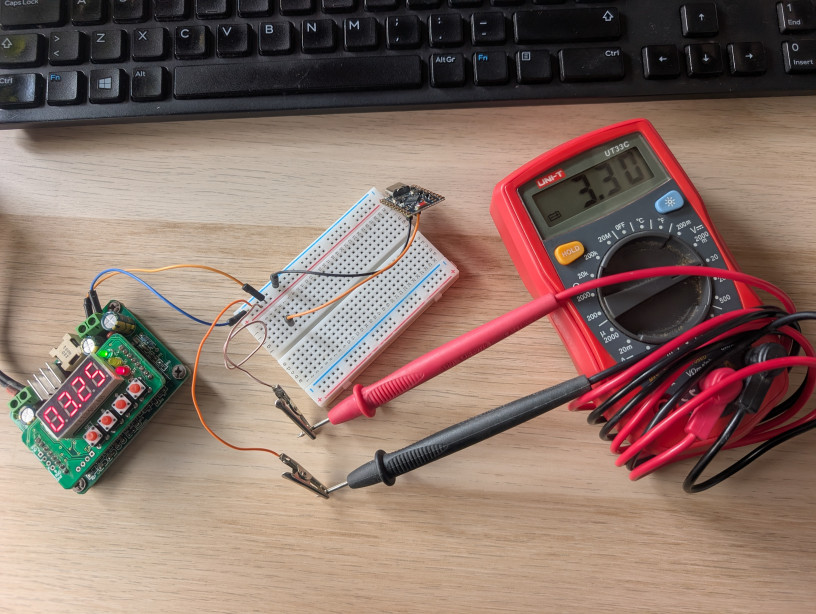
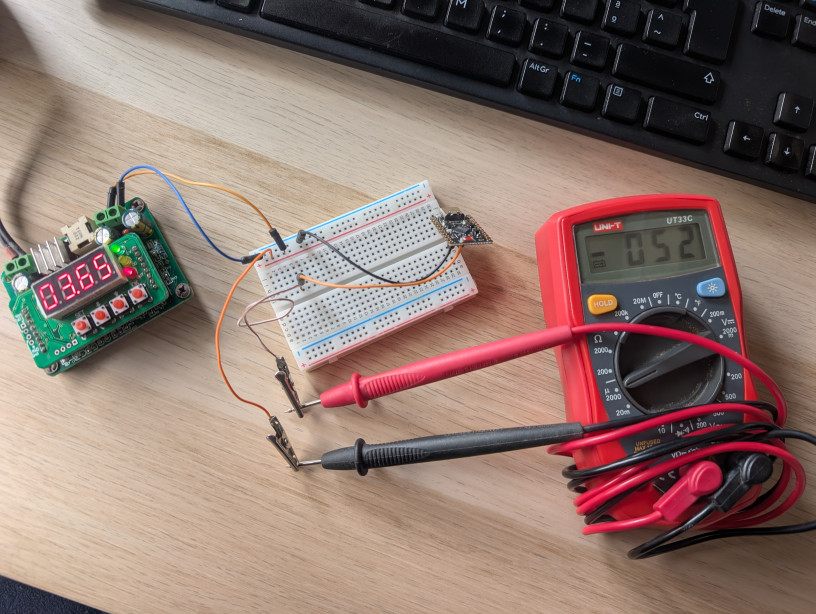
I don’t have access to a high-precision measurement tool such as a dedicated power profiler, so I used my standard digital multimeter (UNI-T UT33C) to perform these tests. For the deep sleep measurements, the USB cable was fully disconnected, and the board was powered directly through the battery pin. Current consumption was measured only after the LED blinking phase completed when the device entered deep sleep mode.
Warning: Use 3.7V on the Battery Pin
When powering the board through the battery pin with 3.3V, the measured deep sleep current is 392 µA, but when powering it with 3.7V (like in the previously photo), the current drops significantly to 52 µA. This difference is most likely related to the LTH7R power management IC on the board. The chip is designed to operate from a typical Li-ion battery voltage (around 3.7V nominal). When supplying only 3.3V to the battery input, the regulator or charger circuitry may not operate in its optimal range, causing higher quiescent current and increased leakage.
For more advanced configuration options, refer to the esp_hal::rtc_cntl::sleep::RtcSleepConfig documentation, that allows you to control over which power domains remain enabled during sleep and can help further optimize deep sleep current on the ESP32-C6.
New update !!!
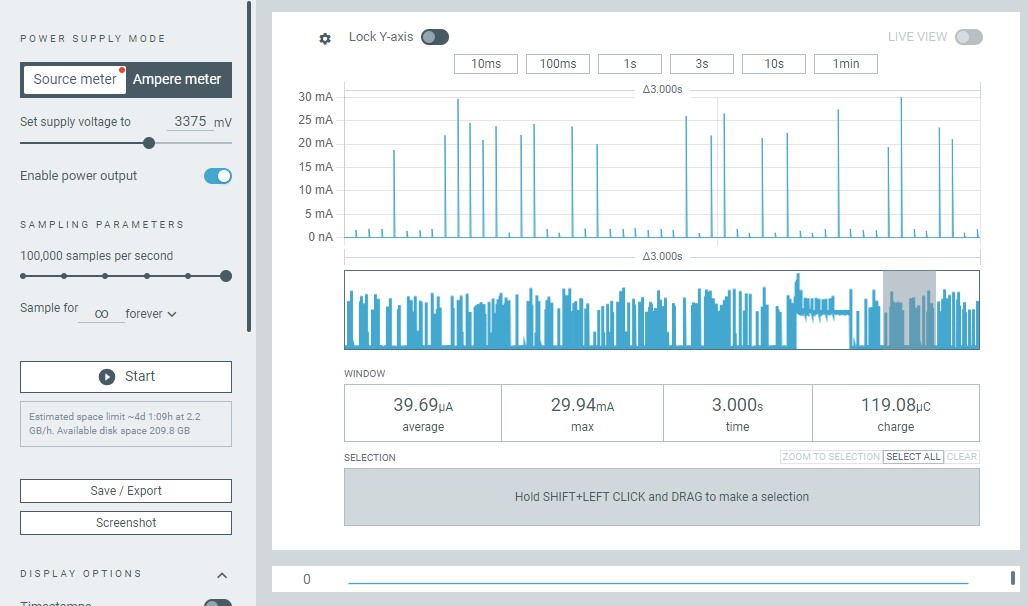
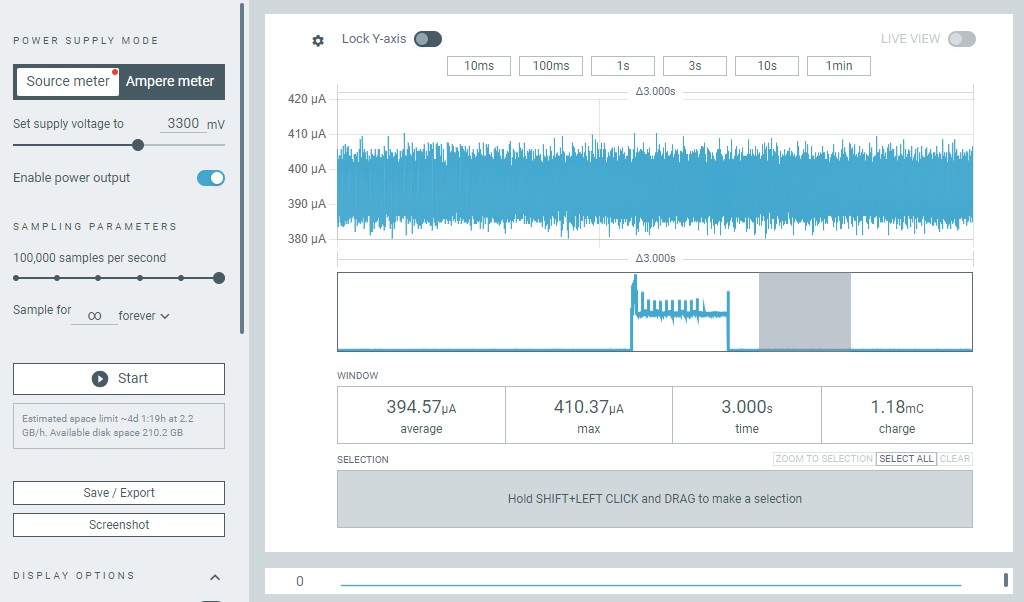
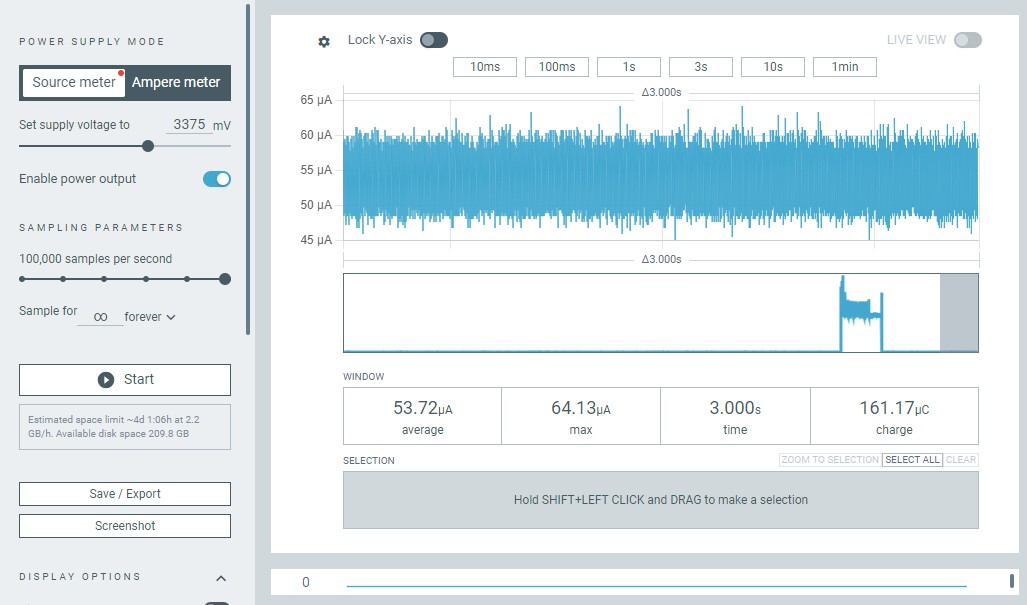
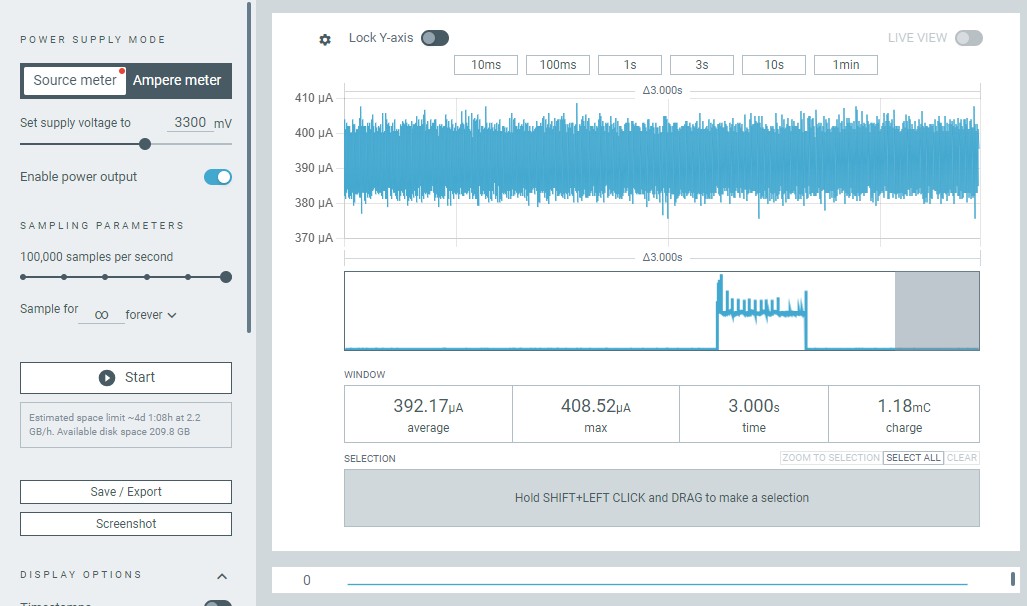
I recently got an nRF PPK2 to analyze the power consumption of my board and noticed a significant drop in current consumption between 3.3 V and 3.375 V. What is particularly surprising is that this behavior occurs even when supplying 3.3 V directly to the 3V3 pin (bypassing the main LDO regulator)
Below are images showing the measurement results:
Power Consumption Measurements
| Measurement Tool | Supply Pin | Mode | Voltage | Current |
|---|---|---|---|---|
| nRF PPK2 | 3V3 | Deep Sleep | 3.3 V | 392 µA |
| nRF PPK2 | 3V3 | Deep Sleep | 3.375 V | 39 µA |
| nRF PPK2 | BAT | Deep Sleep | 3.3 V | 394.57 µA |
| nRF PPK2 | BAT | Deep Sleep | 3.375 V | 53.72 µA |
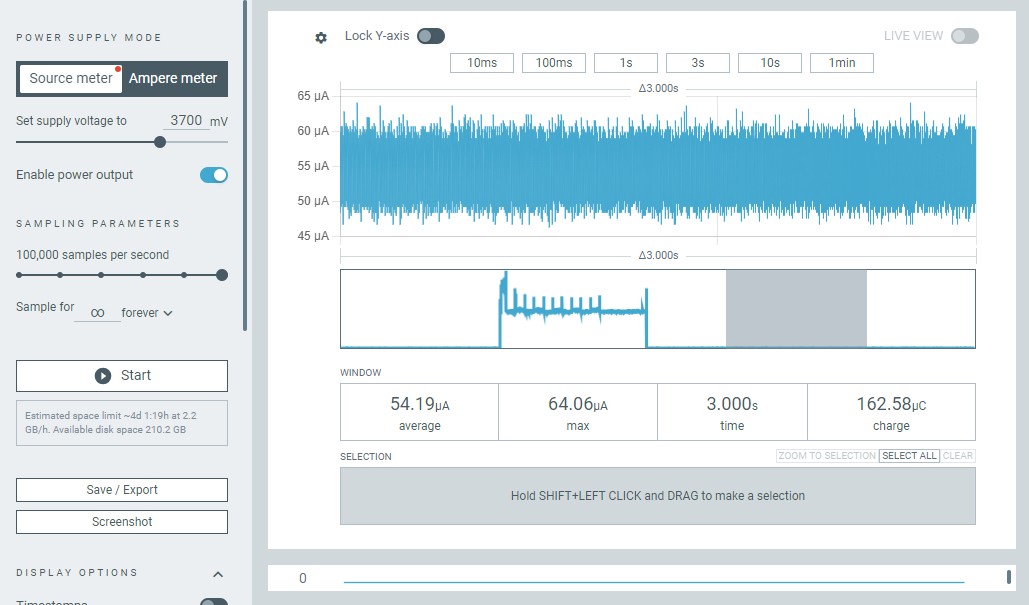
| nRF PPK2 | BAT | Deep Sleep | 3.7 V | 54.18 µA |
| Multimeter | BAT | Active | 3.7 V | 23 mA |
| Multimeter | BAT | Deep Sleep | 3.7 V | 52 µA |
| Multimeter | BAT | Deep Sleep | 3.3 V | 392 µA |
When powering the board via the BAT pin:
- Deep sleep current with supply voltage of 3v3
- Deep sleep current with supply voltage of 3v375
- Deep sleep current with supply voltage of 3v7
When powering the board via the 3V3 pin:
- Deep sleep current with supply voltage of 3v3
- Deep sleep current with supply voltage of 3v375